Loading...
Install AnyConnect
Download and install AnyConnect on your device. Scan the QR code below to start.Enable external control
Enable external control on your AnyConnect client. Open the AnyConnect client in your device, click on 'Settings' and click the 'External Control', make sure it is set to Enabled. Follow the steps seen in the image below.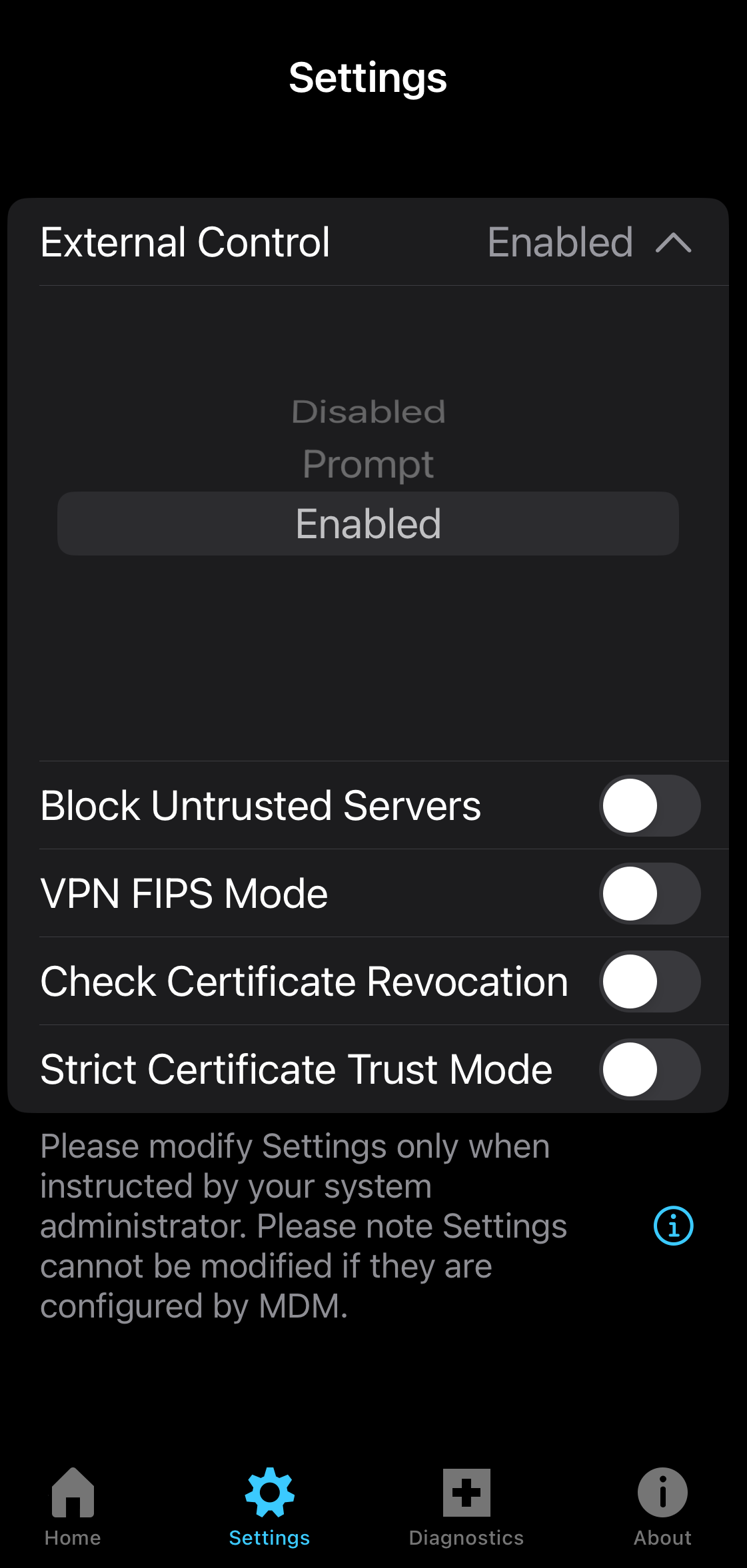
Import connection
Import your connections from your AnyConnect client. Scan the QR code below to import the connection.Import certificate
Import your certificates from your AnyConnect client. Scan the QR code below to import the certificate.Enable VPN
Turn on VPN on your AnyConnect client. Follow the steps seen in the image below.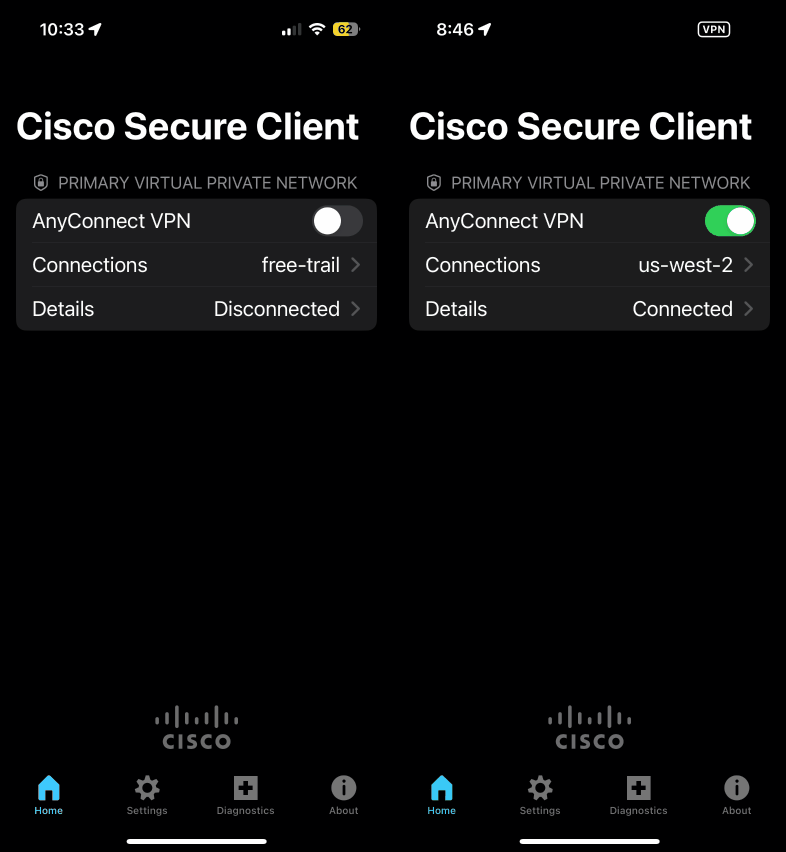
Done!
Install AnyConnect
Download and install AnyConnect on your device. Scan the QR code below to start.Enable external control
Enable external control on your AnyConnect client. Open the AnyConnect client in your device, click on 'Settings' and click the 'External Control', make sure it is set to Enabled. Follow the steps seen in the image below.Import connection
Import your connections from your AnyConnect client. Scan the QR code below to import the connection.Import certificate
Import your certificates from your AnyConnect client. Scan the QR code below to import the certificate.Enable VPN
Turn on VPN on your AnyConnect client. Follow the steps seen in the image below.Done!